
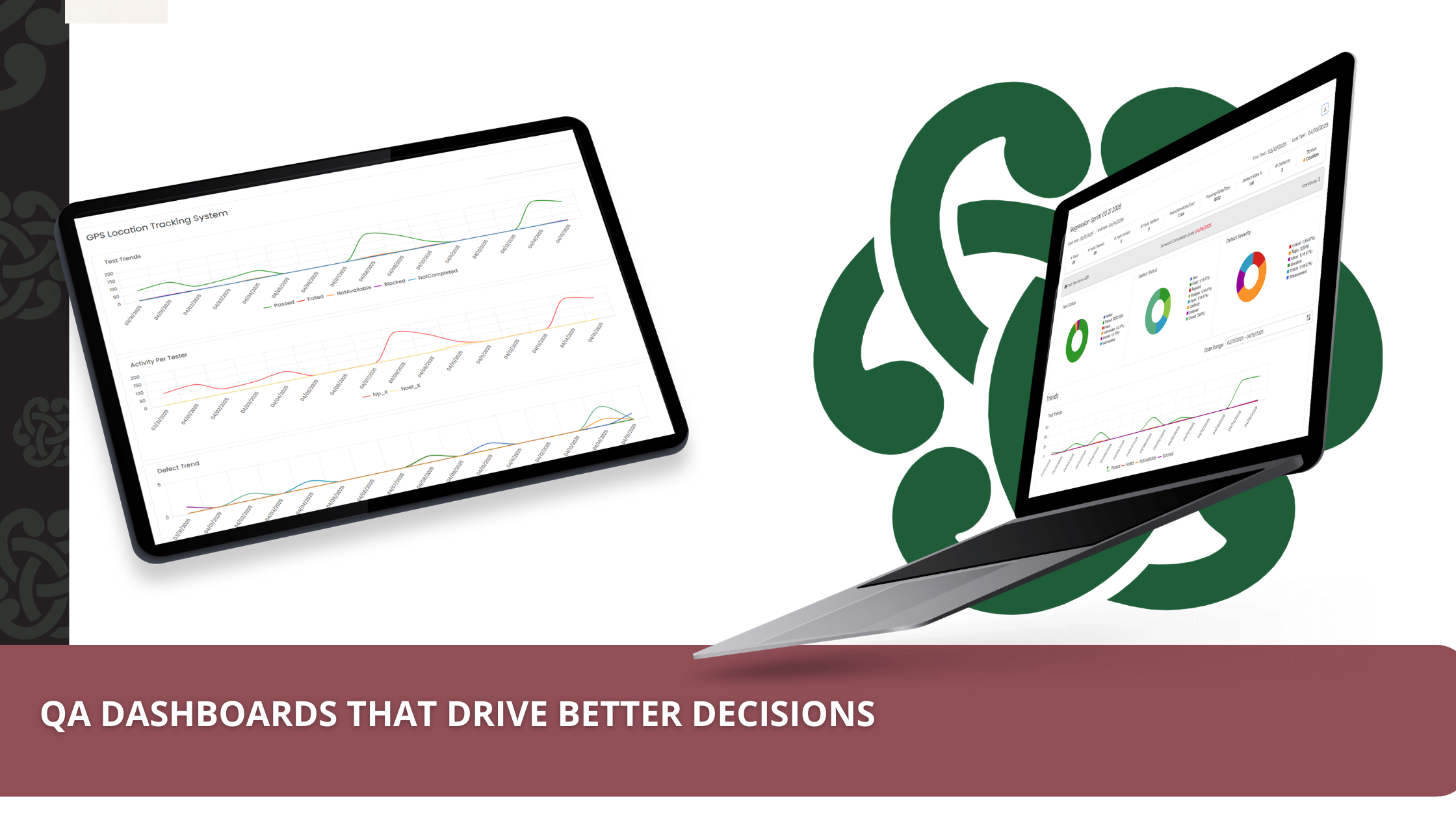
A QA dashboard drives better decisions when every metric on it has an owner, a threshold, and a clear next action. Most dashboards fail this test — they show test counts and pass rates without telling anyone whether to ship, hold, or escalate. The fix is structural: pair leading and lagging signals, anchor each chart to a release decision, and design for the practitioner *and* the executive in one view.
It’s Friday at 4pm. Your CI run is green. Your QA dashboard is green. The CTO walks over and asks: can we ship? You stare at the dashboard. You hesitate. You can’t actually answer.
That hesitation is the gap between reporting and deciding — and it’s the gap most QA dashboards never close.
The four ways most QA dashboards fail
After 20+ years building QA programs across regulated and high-velocity industries, the same four failure modes keep showing up:
- They show counts, not consequences. “243 tests passed” is a count. “Defect escape rate is at 0.8 per 1,000 lines, and your release threshold is 0.5” is a consequence. Counts entertain. Thresholds decide.
- They mix leading and lagging signals without labeling them. A green pass rate is lagging — it tells you what already happened. Flaky test rate is leading — it tells you what’s about to break. Most dashboards stack them on the same row with no signal which is which.
- They have no owner per metric. When defect escape rate spikes, who’s accountable? If the answer isn’t on the dashboard, no decision will follow.
- They are reporting theater. The dashboard exists because someone asked for one. It informs no one and changes no one’s behavior.
If three of those four sound like your current QA dashboard, you don’t have a metrics problem. You have a design problem.
What a decision-driving QA dashboard actually does
A decision-driving QA dashboard answers three questions in under thirty seconds:
– Can we ship? A clear go/no-go signal anchored to release-blocking thresholds.
– What’s trending toward a problem? Leading indicators surfaced before they become incidents.
– Who owns each signal? Every metric has a name attached — engineering manager, QA lead, release captain.
That’s it. Charts that don’t serve one of those three questions are decoration. Cut them.
The six metrics every QA dashboard should pair
These six belong on every QA dashboard, paired so leaders see both the leading signal and the lagging consequence:
- Defect escape rate — defects found in production per 1,000 lines of code or per release. The single most important lagging quality signal. [VERIFY: Capers Jones benchmark — best-in-class teams target 0.1 per 1,000 LOC]
- Mean time to detect (MTTD) and mean time to repair (MTTR) — how fast you find issues and how fast you fix them. The pairing matters more than either number alone.
- Flaky test rate — percentage of tests that fail intermittently without a code change. A leading indicator for delivery reliability; high flake rate predicts dropped trust in the suite.
- Requirements traceability coverage — percentage of requirements with at least one linked test case. Critical for regulated industries; an audit-readiness leading indicator.
- Change failure rate (CFR) — percentage of deployments that cause incidents. One of the four DORA metrics— elite teams keep CFR under 15%.
- Test cycle time — time from “code merged” to “test signal returned.” A leading indicator for release cadence and engineering team trust in the QA process.
Each one has an owner, a threshold, and a next action. That is the pattern that turns a metric into a decision.
Pair leading and lagging signals
The fastest way to upgrade an existing QA dashboard is to label every metric leading or lagging and force pairings.
|
Leading indicator |
Paired lagging indicator |
What the pair tells leadership |
|
Test cycle time |
Defect escape rate |
Are we testing fast enough to catch defects before release? |
|
Flaky test rate |
Mean time to repair |
Is suite trust eroding? Is debug time growing? |
|
Requirements traceability coverage |
Audit findings |
Are we audit-ready before the auditor walks in? |
|
Test execution frequency |
Change failure rate |
Are we shifting quality earlier in the cycle? |
The pairing is the point. A dashboard that shows only lagging signals tells you what already broke. A dashboard that shows only leading signals tells you what *might* break — but never confirms whether you read the leading signal correctly. Together, they create a feedback loop.
From dashboard to decision: the two-layer design
QA dashboards typically serve two audiences who want different things from the same data:
– The practitioner (QA lead, SDET, engineering manager) needs drill-down. They live in the dashboard daily and need to filter by sprint, suite, environment, and team.
– The executive (CIO, VP of Engineering, Head of Quality) needs glance value. They open the dashboard for ninety seconds in a leadership meeting and need a single screen that answers “are we shipping safely?”
Most QA dashboards collapse both audiences into one tab and serve neither. The fix is a two-layer design:
- Layer 1 — Executive view. One screen. Six paired metrics. Each with a colored threshold (green / amber / red), a current value, a 30-day trend, and an owner name. No drill-down on this layer.
- Layer 2 — Practitioner view. Click any tile from Layer 1 and you’re in the working view — filterable, sliceable, with raw test results, defect IDs, and links to source.
That’s the two-layer pattern QAConnector’s Real-Time Reporting is built around. The executive sees “ship-ready / hold / escalate” without learning a query language. The practitioner sees the underlying record with one click.
Where AI fits — and where it doesn’t
AI belongs in the creation of the data the dashboard reports on, not in the dashboard’s interpretive layer.
TestGen AI generates positive and negative test cases from a single requirement document in under two minutes — which means requirements traceability coverage moves from “we’ll get to it” to “every requirement has at least one test.” That changes what the dashboard *can* show. The dashboard itself stays interpretable: rules-based thresholds, named owners, traceable inputs. Auditors can audit it. Executives can trust it.
What AI is not good at, on a dashboard for release decisions, is being the final say. A model that surfaces “anomalies” without explaining them well shifts work from the dashboard onto the practitioner. Use AI to fill the dashboard. Use humans, thresholds, and ownership to read it.
Audit-proof by default
For regulated industries — financial services, healthcare, life sciences — a QA dashboard is also an audit artifact. An auditor expects to see:
- Every test linked to a requirement (traceability).
- Every result timestamped and tamper evident.
- Every defect linked back to its source change.
- Role-based access showing who saw what, when.
That’s the Audit-Proof QA framing — the dashboard isn’t a separate compliance system; it is the compliance system, because it’s running on the same record of truth the team works in daily. Built on Microsoft Azure with audit-grade logging, role-based access, and the structured records frameworks like SOX, NIST, and ISO/IEC 25010 expect.
From reporting to release confidence
Better QA dashboards don’t come from buying a different chart library. They come from re-asking three questions every quarter:
– What decision is each chart on this dashboard supposed to drive?
– Who owns the next action when the chart turns red?
– What leading signal pairs with this lagging one?
When every chart can answer those three, your dashboard stops being a report and starts being a release-decision tool. That’s the difference between QA reporting and release confidence — the difference QAConnector’s customers measure not in chart counts but in shipped releases.
Frequently asked questions
What metrics should a QA dashboard show?
At minimum: defect escape rate, mean time to detect/repair, flaky test rate, requirements traceability coverage, change failure rate, and test cycle time. Pair each leading metric with its lagging counterpart and assign an owner to every tile.
What is the difference between a leading and a lagging QA metric?
A leading metric predicts what’s about to happen (flaky test rate, requirements traceability gaps). A lagging metric records what already happened (defect escape rate, change failure rate). Decision-driving dashboards pair them so teams react before incidents and learn from them after.
What is defect escape rate?
Defect escape rate measures the number of defects discovered in production per release or per 1,000 lines of code. It is the single most-cited lagging signal of QA maturity and the metric most regulated industries reference in their release scorecards.
How does AI improve QA dashboards?
AI is most useful upstream of the dashboard — generating test cases (TestGen AI), filling traceability gaps, and detecting anomaly patterns in test results. The dashboard’s interpretive layer (thresholds, ownership, decisions) stays rules-based and auditable.
What does an auditor expect to see in a QA dashboard?
A regulated-industry auditor expects requirements-to-test traceability, timestamped tamper-evident test records, defect-to-source-change linkage, and role-based access logs. The dashboard should be the audit artifact, not a parallel system.
How is a QA dashboard different from a test management report?
A test management report describes what the QA team did. A QA dashboard tells leaders what to do next. Reports are static and historical; dashboards are interactive, threshold-anchored, and ownership-bound.
Ready to see what a decision-driving QA dashboard looks like in production? Schedule a demo — we’ll show you Real-Time Reporting against your stack, including how TestGen AI fills the requirements traceability gap most teams treat as optional.
For services teams that want help redesign their QA reporting framework end-to-end, the parent company — CelticQA Solutions — runs a Quality Management Office (QMO) engagement built around exactly this two-layer pattern.
Recent Comments